

Please support our vision to have photo galleries populated with member and course photos found on our event portals.
A portal is a door (or window). An event portal is a website "door" you may open and either read welcome information or find additional supporting webpages.
|
So you are out there taking a few photos of our course and your buddies. Your Question is: How do I see photos from any of our tournaments? Webmaster's Answer: Have you or others uploaded any photos in the mobile GolfGenius app used on your phone? Fun Fact: See the Member-Guest event, GGID = LMGC090625 and the "Photos" portal for a start. Take-Away: If you care to upload a few photos while playing in our future outings, go ahead and do so. Side Bar tip: Find your event GGID#, login, then go to Upload Photo, now select Photos. Find Album List and Mobile Uploads and go to town uploading your pics. Swing Smoothly, Dan Wamba LMGC Webmaster |
|
Do not try to log in with email since that is only for admin users. DO USE the GGID number found in the email about the event, or follow our recipe of "LMGC" and date. A GGID example created this way is our Shoot the Works tournament we played in December: GGID = LMGC121325 |
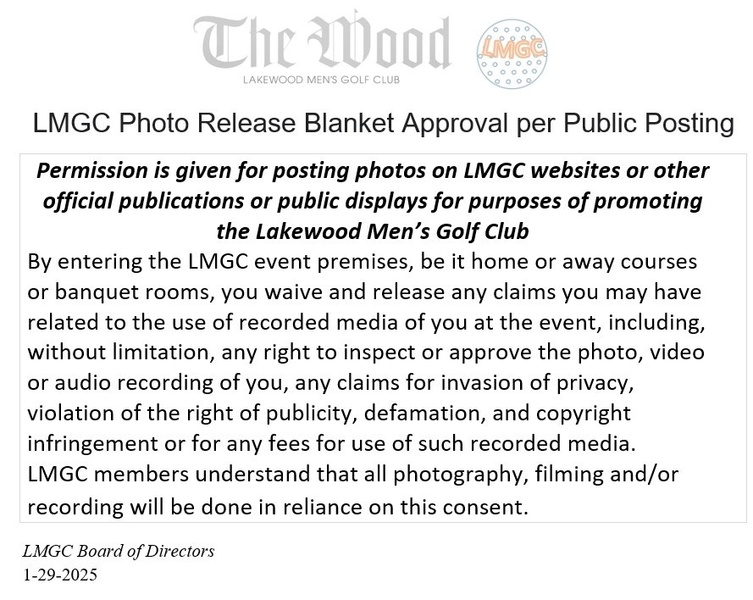
The blanket photo release for photography at our events is HERE